Dynamo Maths for dyscalculia – a parent’s review
I took out an initial 3-month subscription to Dynamo Maths to help one of my children who has dyscalculia*. I subsequently extended the subscription, because my child was benefitting from it, though in different ways from my initial expectations. In this article I share my thoughts as a parent on how useful the programme was for my child, along with plenty of screenshots so that you can get a feel for whether this would be a good fit for you.
- What is Dynamo Maths and how does it work?
- Is there any evidence base for Dynamo Maths?
- Positive benefits of Dynamo Maths
- Potential shortcomings of Dynamo Maths
- How to purchase Dynamo Maths
*By ‘dyscalculia’, I am referring to a persistent and serious difficulty in understanding numbers. It can particularly affect subitising (being able to quickly see how many objects are in a group), using reason to answer maths questions (e.g. 3+4 cannot be 2, because that is smaller than either number), or ‘feel’ the relative size of numbers such as 14 and 40. It is also often accompanied by poor working memory, making it difficult for a child to keep track of the steps of a calculation in their head.
What is Dynamo Maths and how does it work?
Dynamo Maths is a UK-based online maths programme for children with dyscalculia. Like other similar programmes, it offers to be adaptive and personalised to the particular child’s needs. It is designed for children aged 6 to 11. Dynamo Maths uses something called the NumberSenseMMR Framework, which seems to me to be a fancy way of saying that they have thought very carefully about the order in which to introduce mathematical concepts. In particular, having a good grasp of ‘number meaning’ underpins children’s ability to calculate and reason with numbers.

To get started, Dynamo Maths suggests that you take their ‘Dynamo Assessment’ to accurately level your child. This means that your child will begin each ‘strand’ of mathematics at exactly the optimal level of challenge. However, this is an extra £36 (inc VAT) on top of what is already quite an expensive maths programme. I felt that I already had a pretty good grasp of my child’s level, so I chose not to pay up for the assessment. In this case the software guides you towards a stage (Dynamo 1, Dynamo 2, etc) by asking questions about your child’s age and ability (e.g. on track for age, somewhat behind, very behind). You can then vary this later and/or allocate specific activities from the parent’s side of the software. I found the stage I had guesstimated was initially perfect; some activities were straightforward review, which my child found encouraging. Others were a ‘goldilocks’ level of challenge (just right).
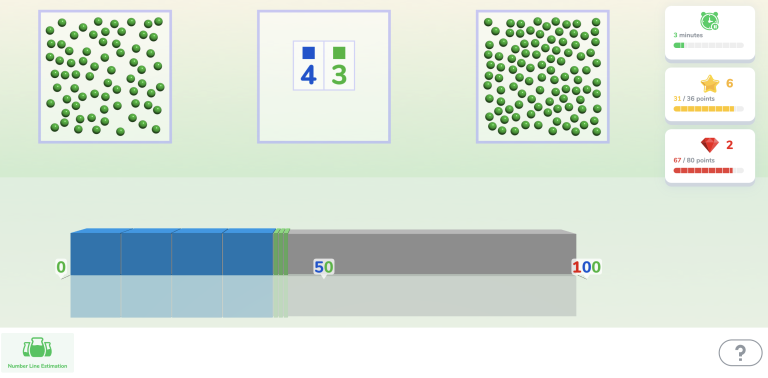
The software has 6 overall stages, and within each stages there are roughly 60-100+ challenges. Only about ten challenges are ‘unlocked’ for the child at any given time, and once they successfully complete a few of a given type, they unlock more challenges. My child found this motivating and exciting, a good way to see their progress.

Dynamo 1 covers basic work with numbers from 1 to 10. Dynamo 2 extends this with lots of number sense work on the value of numbers from 1-100, and also simple addition and subtraction of 1s, 2s and 10s. By Dynamo 6, children are covering topics like column addition, numbers up to 100,000s, and percentages.
Each challenge has a lesson plan, a worksheet, and an online quiz activity component. You can vary which components you complete depending on how confident your child is at that activity.
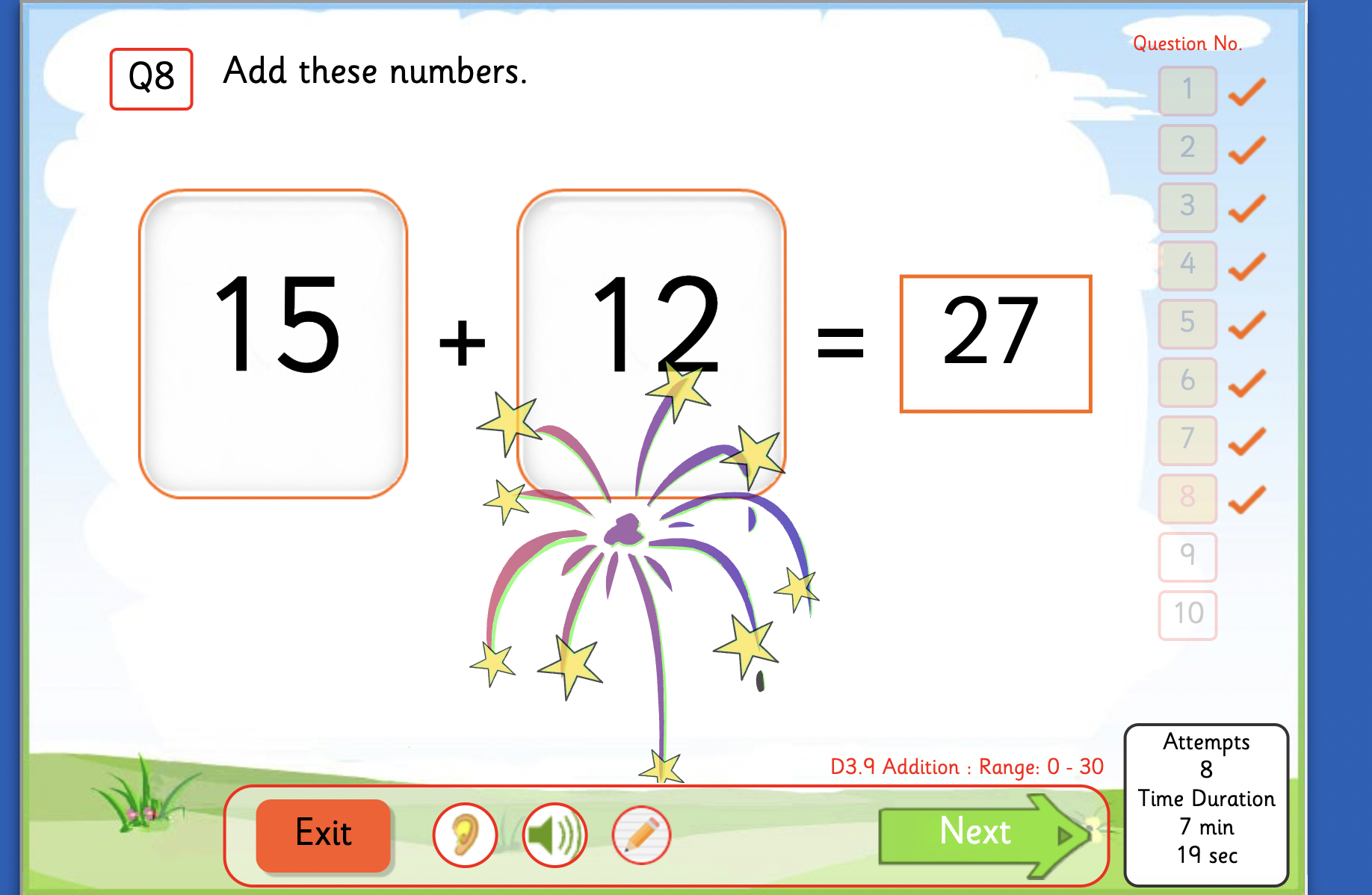
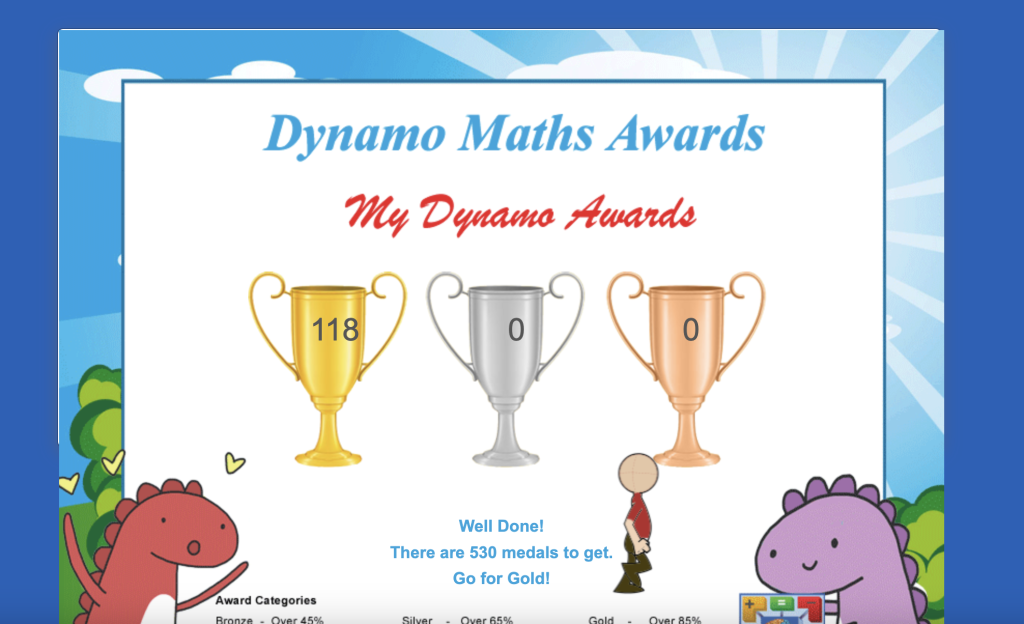
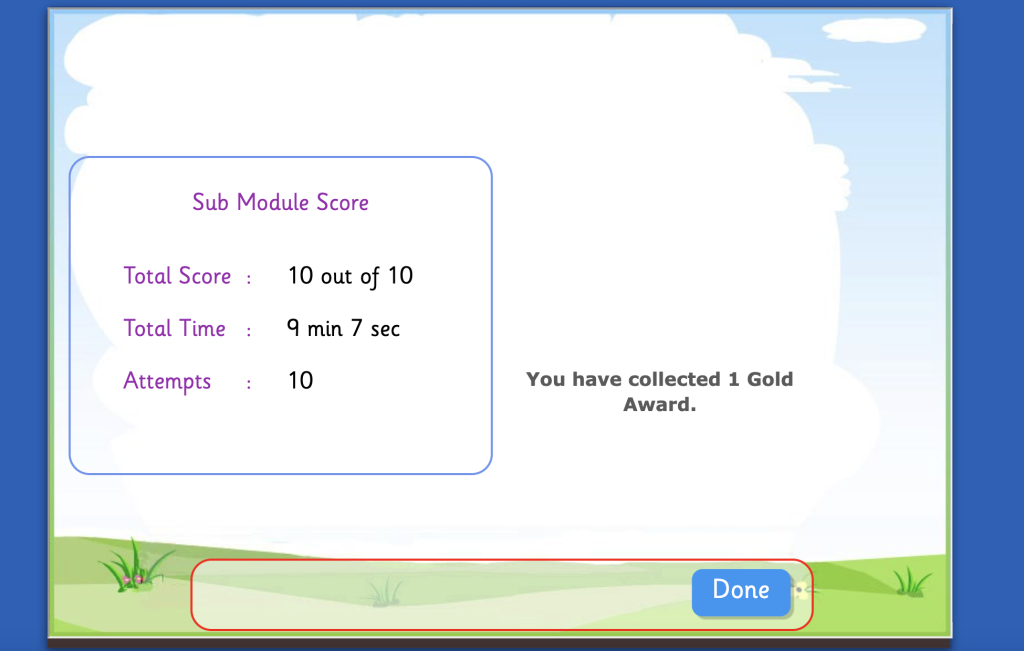
The reward system is straightforward. For every correct answer there is a short congratulatory message and simple graphic (e.g. smiley face, fireworks). For incorrect answers there is a splat rather than a tick, and an encouragement to ‘have another go’. After each set of challenge questions, the child is rewarded with a bronze, silver or gold certificate for completing the activity. To ‘pass’ the activity, you need to get a gold certificate, which is a score of 9 or 10 out of 10. At the start of each session on Dynamo Maths, a graphic is displayed with all the child’s certificates and a cheerful message of encouragement. (As a gold certificate is necessary to progress, the graphic is necessarily skewed!)
Is there any evidence base for Dynamo Maths?
Dynamo Maths have conducted a large piece of work to evaluate the order in which they teach mathematical concepts. You can read more about it on their website here. There is a short discussion at the end of that article about a small-scale trial of Dynamo Maths with 50 pupils, who made progress in a number of areas over twelve weeks. I should caveat that there is no mention of a control-group, which makes it harder to evaluate the progress described.
There are also a number of case studies and small studies described on the Dynamo Maths website here. Running studies is expensive, but I would have loved to read a larger scale study, ideally with progress evaluated against some external standard, rather than Dynamo Maths scores.
Positive Benefits of Dynamo Maths
My child largely enjoyed working with Dynamo Maths, as long as the activity was at the right level, and something that they felt successful at. They enjoyed the verbal praise (especially the fireworks noise!) and didn’t seem to mind that there wasn’t a reward point system.

The software was also pretty straightforward to navigate. It was easy to see and keep track of the activities they were currently working on. The graphic showing which challenges you still need to complete in a section is easy to understand. My child is not very tech-savvy, and they were generally successful at operating the software independently to complete the online challenges.

I found Dynamo Maths really helpful as a review activity and solidifier of number sense. Whilst my child was operating within their comfort zone, it felt like a good way to allocate 15 minutes a day to independent maths work. There were lots of activities on sequencing numbers forwards and backwards, and choosing the highest or lowest, which were helpful ongoing practice for working out how different numbers relate to each other. There were also some activities where the child hears different ways of wording a sum (e.g. minus one, take away one), which was good practice for my child at varying the mathematical language.
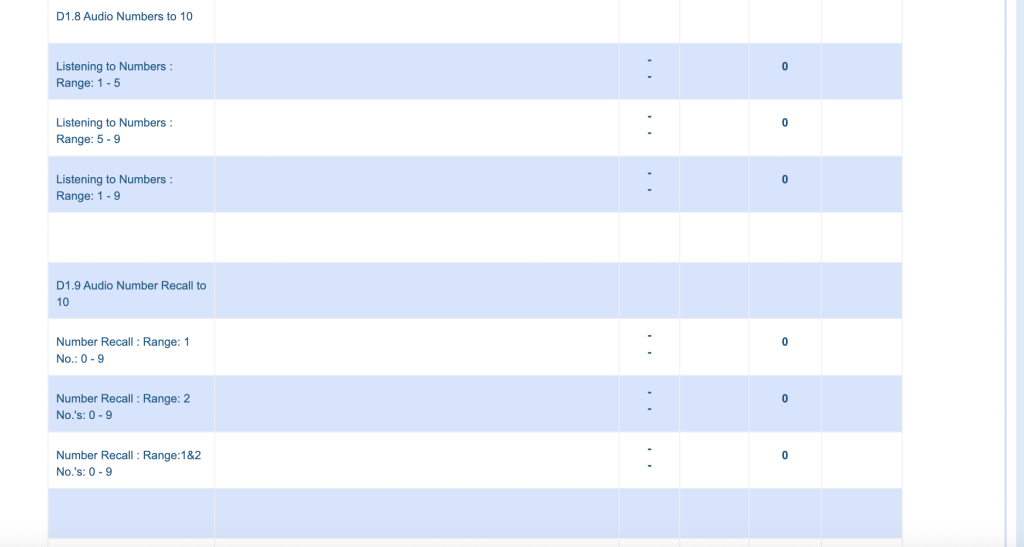
As the parent, I appreciated the ‘Reports’ tab where you can look ahead and see every single challenge in the software, so you can get an idea of where things are going, and what is coming up soon. It would be nice to add a filtering feature to this so that you can get to the section you want more quickly.
We found Dynamo Maths useful enough to purchase a second subscription. This is the first maths software offering where I have done that, so that is significant praise! For several months it was able to provide sufficient review activities, especially for number sense skills, to keep my child happily occupied for 15 minutes, roughly four times a week.
Potential shortcomings of Dynamo Maths
My main issue with Dynamo Maths is not unique to this software. At some point, my child reached their limit of progress, and the software then became saddening and frustrating to them. There were a few occasions when I thought we had reached the limit, but we were able to work on the blockage and move past it, and then find a number of additional topics unlocked which were doable. However, at the present time, we have had to pause our use of the software for a couple of months because my child was not ready to complete the current challenges. I haven’t found that Dynamo Maths itself is able to provide the resources I need to unblock my child’s progress; I have had to look for those elsewhere.
Having now ‘unblocked’ the new skill of two-digit addition, using other resources, my child is able to pass the relevant Dynamo maths levels. So we can now use Dynamo maths as a review activity for the new skill, but only in a limited capacity. I am not able to do something like allocate ten 2-digit addition problems a day. Once the child has successfully got a gold certificate for those addition problems in a certain number range, the software will mark that topic as ‘mastered’ and lock it. So my child will get one or two ‘review’ opportunities for each number range, and then the two-digit addition skill will be locked. In my experience, my dyscalculic child will need to keep regularly reviewing how to do those problems for some time for the skill to cement in their brain.
I found the lesson plans generally disappointing at the level my child was working at. I didn’t feel that they were helpful in extending my child’s deep mathematical understanding. They tend to be a similar activity to the online quiz, but using concrete manipulatives instead. For example, for an activity of putting numbers into order from lowest to highest, the lesson plan might be for the child to complete the activity with paper cards. This is slightly easier, because it is easier to move the cards about and consider the options. However, it is not tackling the deep underlying difficulties with place value that are making it hard for the child to see that 82 is bigger than 79.
One other minor concern is that we are now at a level of maths where some pencil and paper working is required. Ideally a child would be able to do the sum 15+12 mentally. However, dyscalculic children typically have poor working memory, meaning that they may not be able to successfully hold all of the necessary information in their head whilst calculating. At the moment, my child does better writing down some workings (10+10 =20, 5+2 =7). It is not clear from the software whether this is acceptable or not. Clearly a child who can manage this sum mentally is further along mathematically, but is using workings acceptable? Will allowing pencil and paper push us along too fast through the software? Guidance within the software would be helpful.
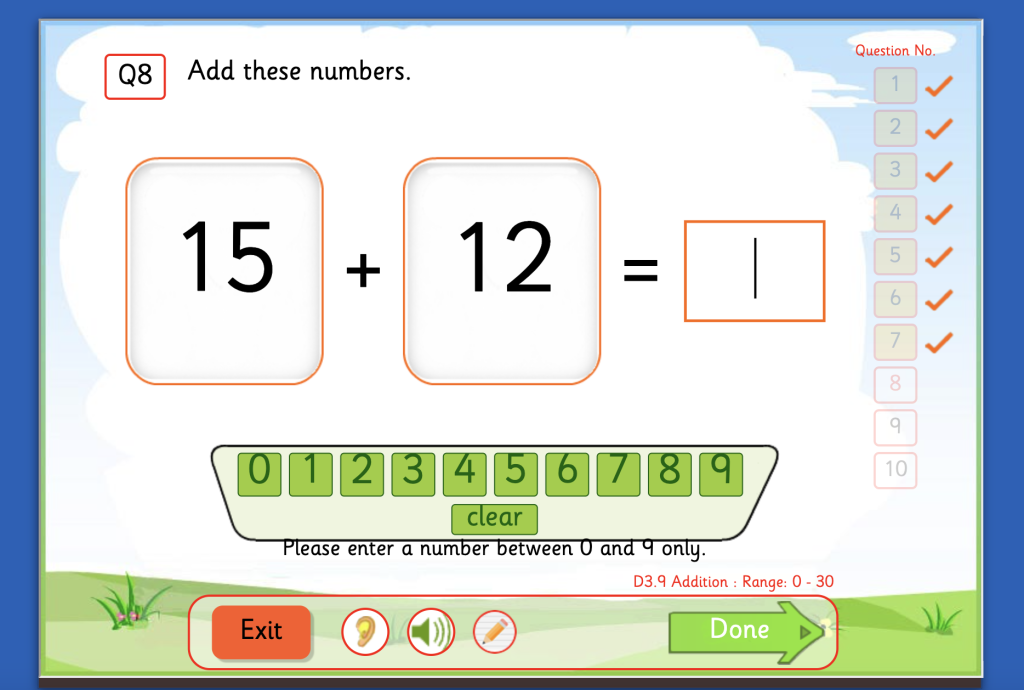
We had one minor technical irritation. The ‘Next’ button to move on to the next question is in the same place as the button for confirming you have inputted your answer. Sometimes my child would click ‘Next’ and unwittingly click again immediately, thus giving a ‘zero’ answer to the next question and getting it wrong, which upset them. This could be solved by having the buttons come up in different places on the bottom bar.

To sum up, I think that Dynamo Maths is a well thought through, incrementally progressing, maths teaching aid, which enables children practice extending their skills very gradually. However, in my experience, it is not sufficient to teach new mathematical skills to a dyscalculic child (i.e. a child with major difficulties in understanding mathematical concepts). The lesson plans, worksheets and online quizzes together are not enough to teach new skills, only to gently extend existing skills. In this regard, it may be that I was expecting too much of the software. I haven’t found any other software that has been able to achieve this, and have had to look to paper-based resources and consistent hard work from parent and child in one-to-one tutoring to make meaningful progress.
How to purchase Dynamo Maths
You can purchase Dynamo Maths from their website here. There are a variety of subscription lengths offered to parents, and a short free trial is available. I have found them very responsive when I needed to speak to them.
If you would like to see other resources we have tried for Dyscalculia, please take a look here. In particular, I would recommend taking a look at Ronit Bird’s resources, for a very effective and reasonably priced (though parent intensive!) maths program for dyscalculic children.